See the findings.
Review the screening result alongside the evidence strength and the audio duration covered by flagged measurements.

Catalyse Trace · AI audio forensics
BetaExplore AI-related signals in your music. See the findings, listen to flagged regions and understand the evidence behind the result.
For artists, producers, labels and music professionals.
Evidence you can explore
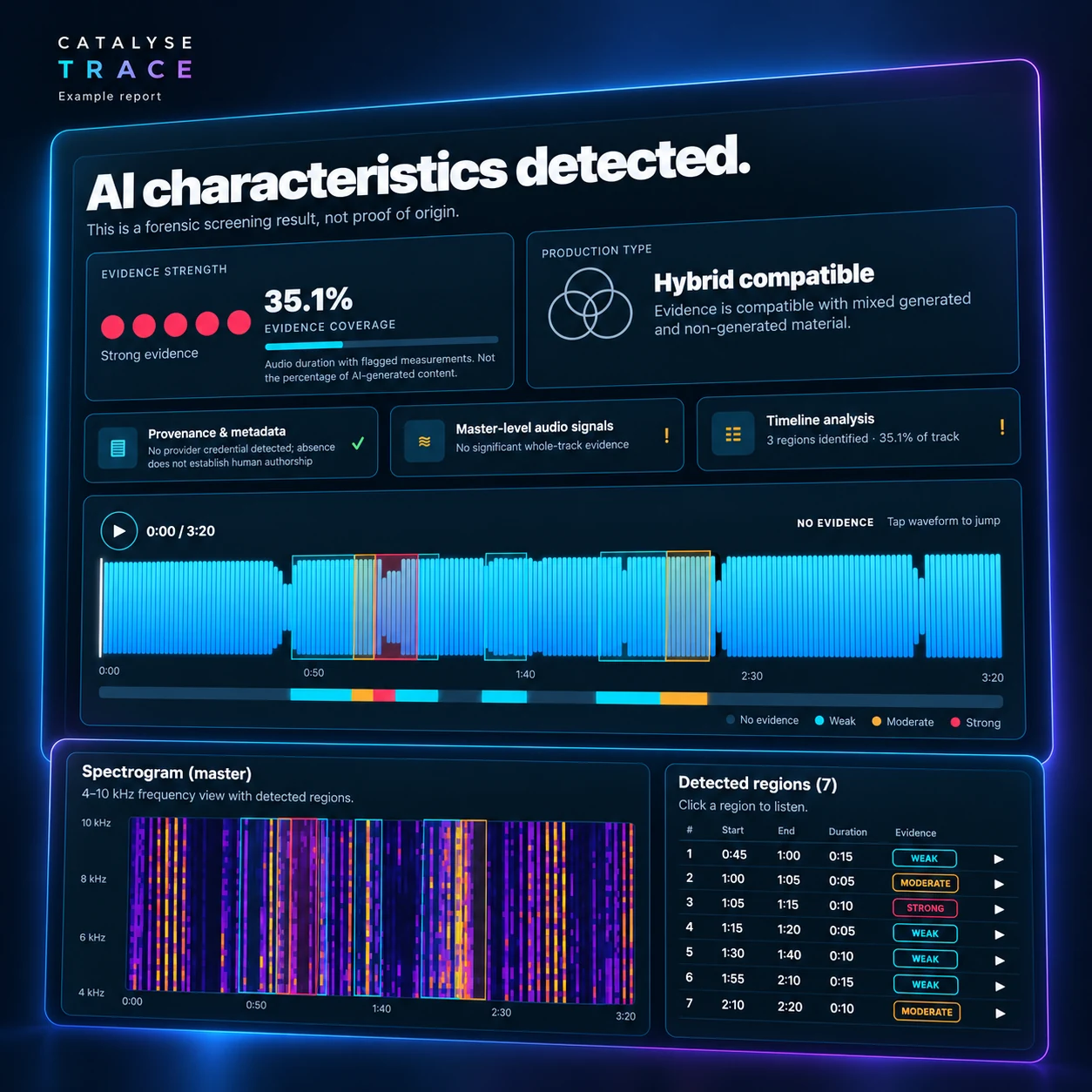
A detection headline only takes you so far. Trace brings provenance, audio measurements and timeline findings into one report, so you can review signals in context.
Review the screening result alongside the evidence strength and the audio duration covered by flagged measurements.
Explore highlighted regions on the waveform and listen to the passages that need a closer look.
Use the report alongside production records, source files and information from the people who made the track.
A practical workflow
Start with a music master. Trace prepares a report you can explore, with findings presented alongside their limits.
Open Trace and upload a WAV, MP3 or FLAC file. The current master scan supports tracks up to 8 minutes and 250 MB.
Read the headline, evidence strength and coverage. Inspect provenance, master-level measurements and timeline findings.
Listen to flagged regions and compare them with what you know about the production. Treat the scan as one source of evidence.
Inside the report
A waveform places findings in time. The spectrogram and detected-region list let you inspect those passages in more detail.
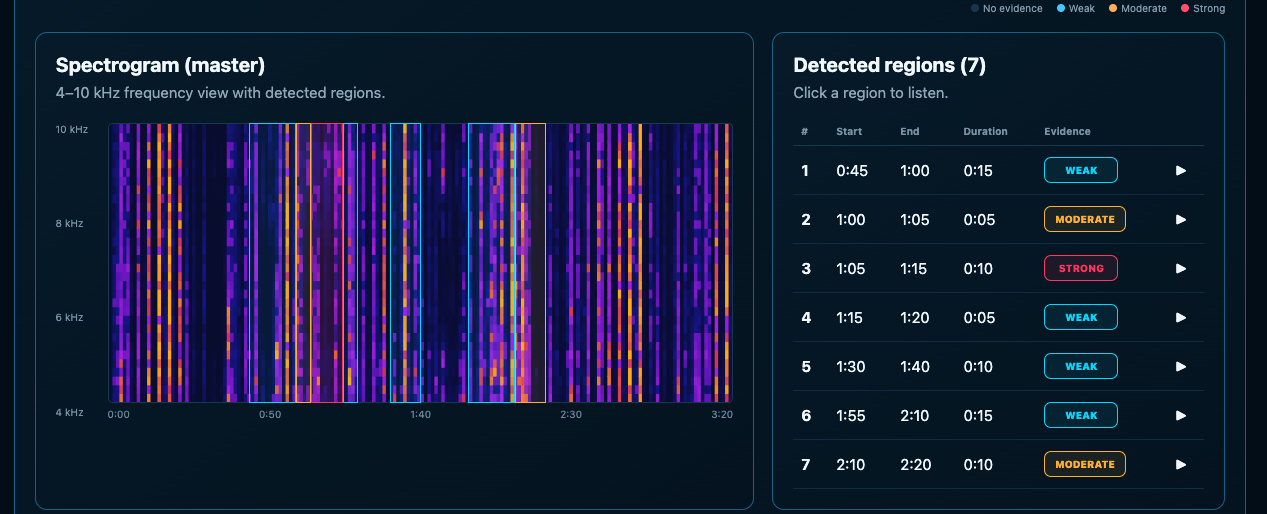
Evidence strength
The strength labels describe flagged measurements. They do not certify how a track was made.
Evidence coverage
Coverage is the share of audio duration with flagged measurements. It is not the percentage of AI-generated content.
Production context
A hybrid-compatible finding means the evidence can fit a mixture of generated and non-generated material. It does not verify that workflow.
Use it where context matters
Artists & producers
See which parts of a track produce flagged measurements and review them against your session and source material.
Labels & music teams
Use the report to guide follow-up questions about a recording and the production information supplied with it.
Researchers & testers
Look beyond the headline when comparing results, and keep known-source material and test conditions in view.
Trace research & guides
Tutorial · Trace
How to interpret audio findings without turning a signal into a claim of certainty.
Read on Trace →Research · Trace
One detector flags your track. Another clears it. Compare the evidence, workflow and privacy questions that matter before choosing an AI music detection tool.
Read on Trace →Research · Trace
Compare free scans, upload limits and report features from TRACE, Authio and The Ghost Production—and learn what their detection scores can tell you.
Read on Trace →Before your first scan
No. Trace screens for measurements associated with AI-generated material and examines provenance and metadata. A result is evidence to investigate, not proof of origin or authorship.
No. Evidence coverage describes the audio duration with flagged measurements. It does not measure the proportion of AI-generated content.
The current workflow assesses music masters. Stem and multitrack analysis are not part of the current offering.
The current launch model uses credit packs rather than a subscription. Visit the Trace pricing page for pack details and current purchase availability.
Trace currently stores audio for saved-report playback and deletes it 30 days after a completed scan. You can delete a scan earlier in the app. Review the current product terms for storage, access and sharing details.
Explore your audio
Open Trace to try a master scan, or explore the credit packs.